Our own app, our own servers, and an AI wired into the streaming system. When a channel has a problem, the AI is usually on it before you reach for the remote. If it can't fix it, support comes to your TV.
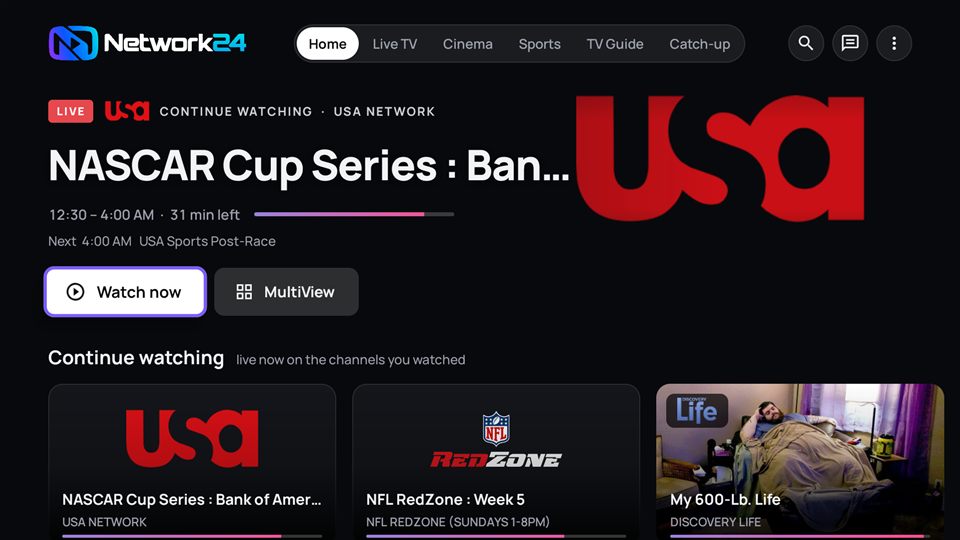
Built by us for the TV first. It looks and behaves the same on a Firestick, a Google TV, a Samsung phone or a tablet, whatever the font or screen size. Updates arrive on their own.
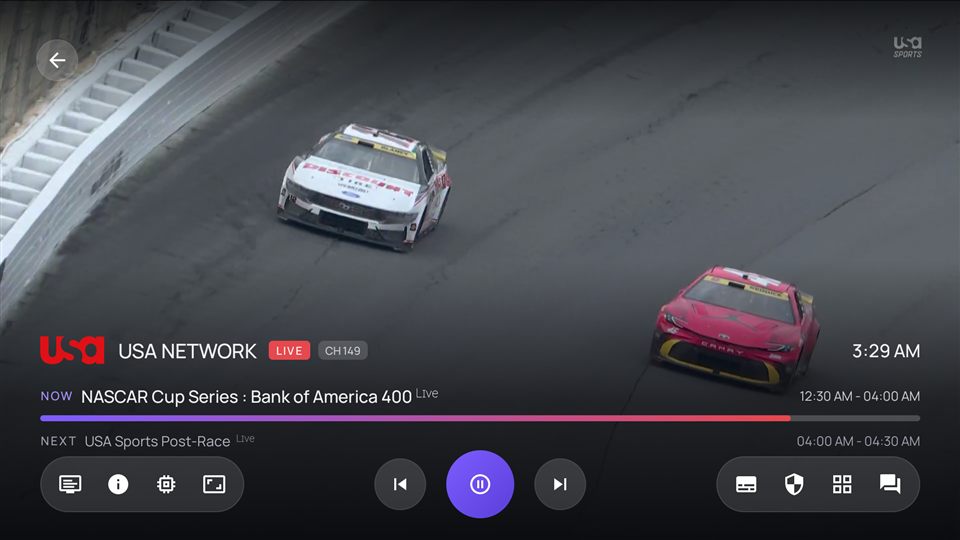
Instant switching, now/next on screen, MultiView up to 4 channels, Auto Volume for loud ads, subtitles, smart decoding on old boxes.
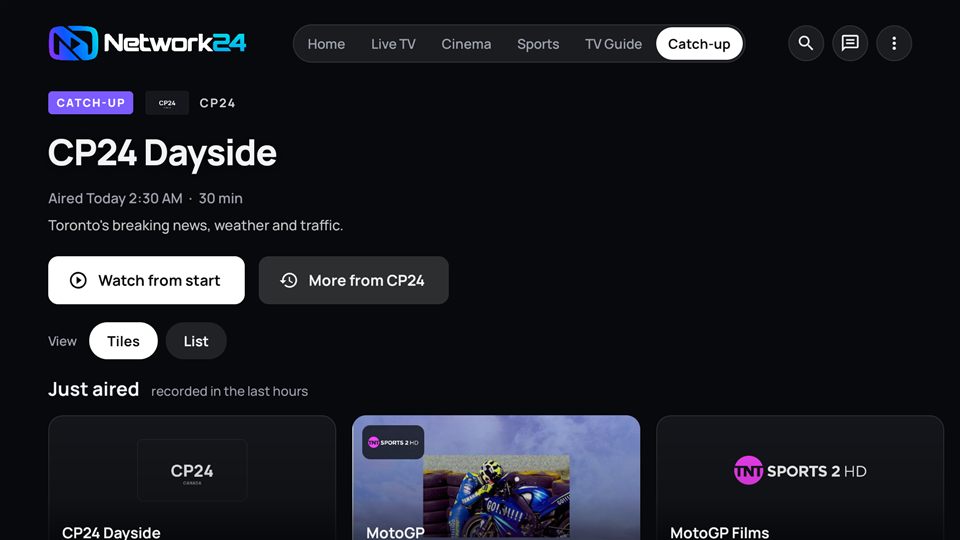
Missed the game or the show? Play it from the start, scrub, resume later. "Just aired" rows per category.
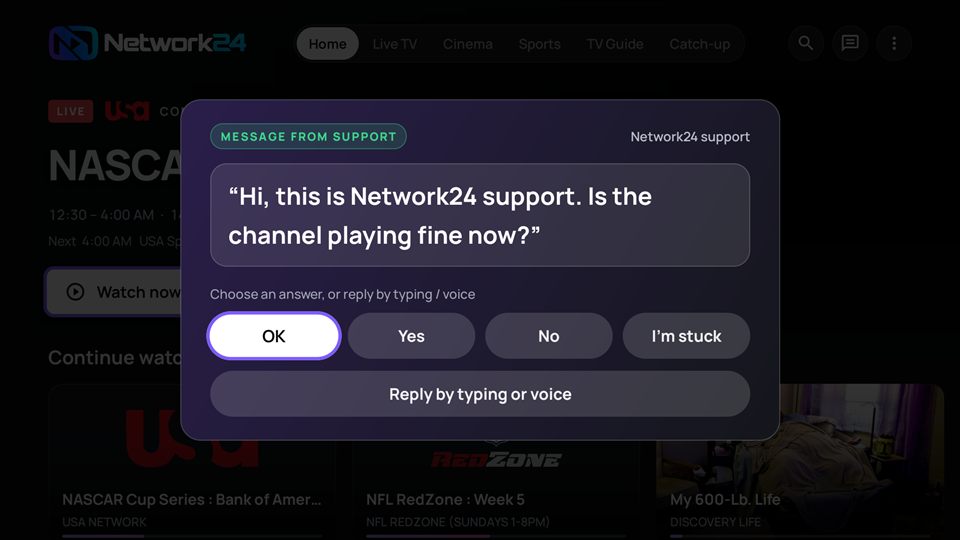
Allow once. Support sees your screen, presses the buttons and talks to you right on the TV.
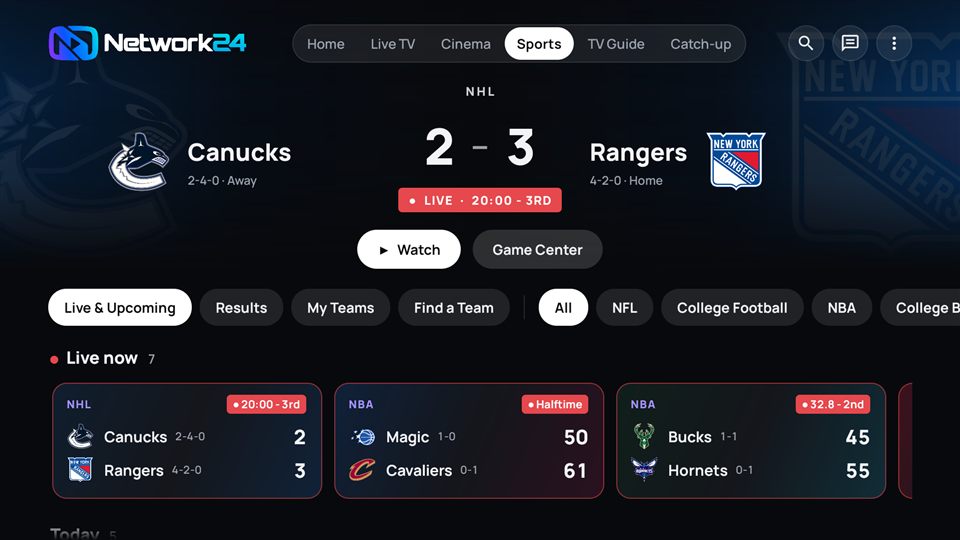
Scores, fight cards, leaderboards. Follow teams; one tap opens the channel.
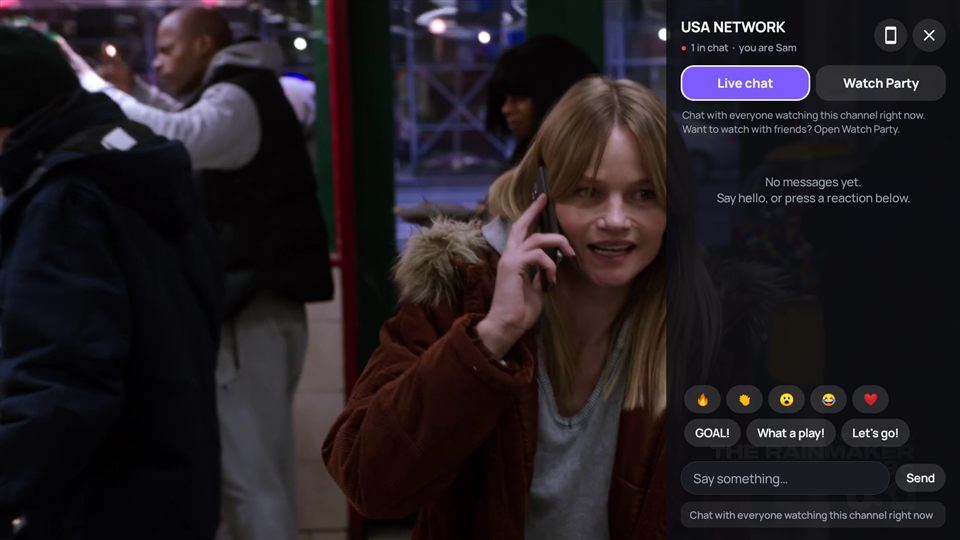
Talk during the game, or start a private party and watch together.
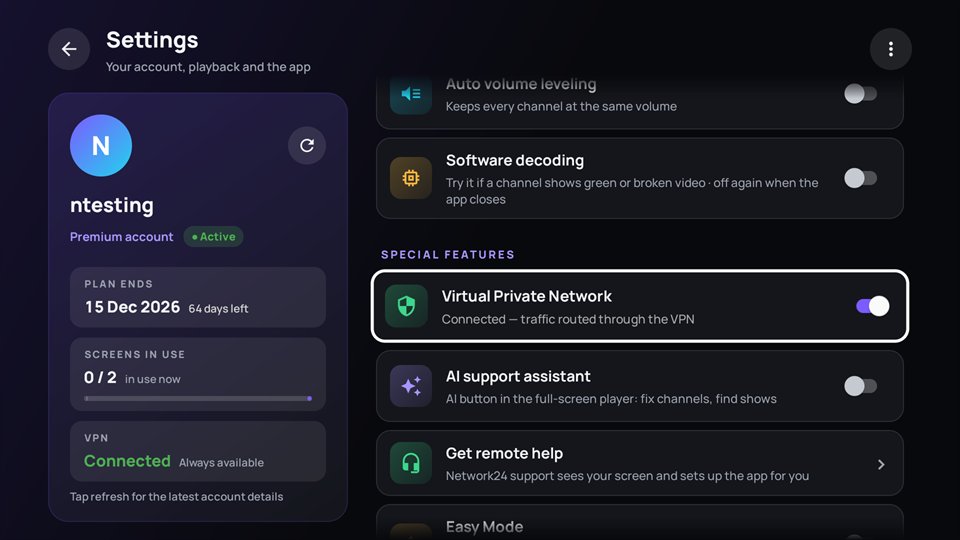
Provider blocking or slowing your stream? One switch turns on our Virtual Private Network, even on the login screen.
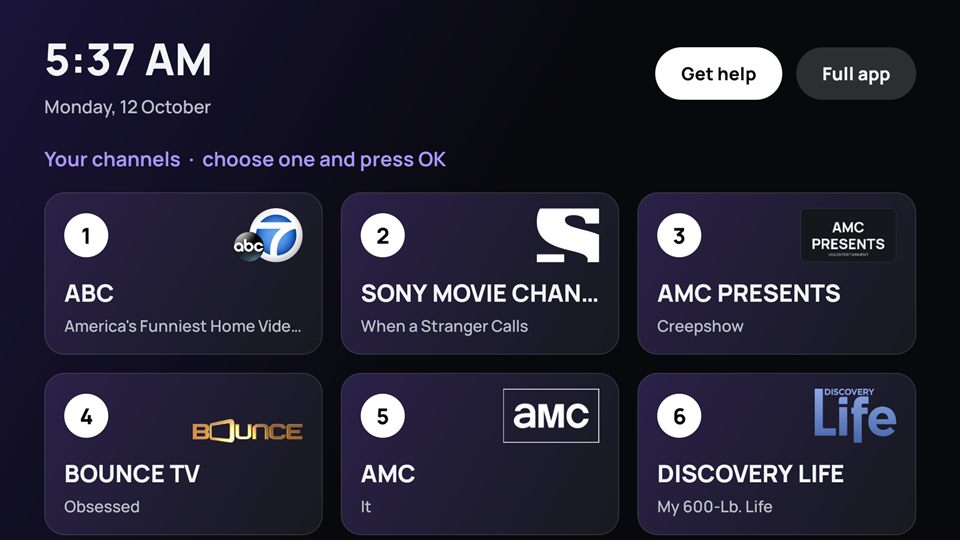
Big buttons, your channels only, nothing to get lost in. For the people in your house who just want TV.
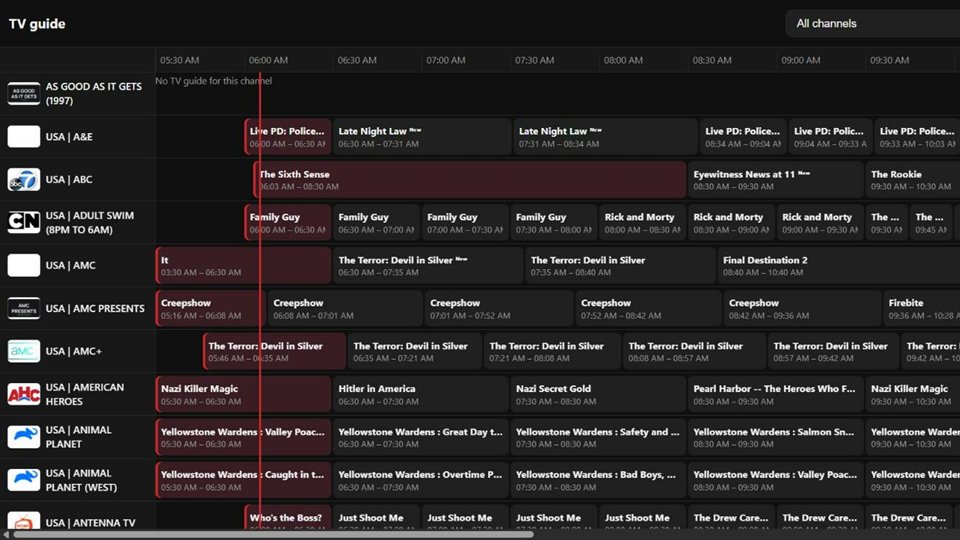
iPhone, iPad, Mac, PC: open play.web24.live in the browser, add it to your Home Screen like an app. Favourites and parental lock stay in sync with the TV app.
Our AI runs on Network24's own AI hardware and is connected straight to our streaming system. It doesn't just answer questions. It finds the problem, fixes it, checks the fix, and tells you when it's done.
Tap "Fix" in the app, or say it on Discord. The AI tests every available source, switches to the best working one, restarts the channel and checks it is really back. If nothing works, a real person is called in automatically.
Channels that go off air are repaired day and night without anyone reporting them. Before a big game it picks the best, most stable feed in advance.
Ask about a channel and it checks the schedule first: not started yet, live, or already over with the score.
No sound? It listens to every audio track and picks the one that works. Wrong TV guide? It finds the right listings for that channel.
Our support team corrects and teaches the AI. Each day it reviews what happened and learns from it, so the same problem gets solved faster next time.
Most IPTV services are a login on someone else's platform. Every piece of Network24 is built and run by our own team, so when something needs fixing, we can actually fix it.
On our own AI server, wired into the streaming system. It fixes channels, balances the servers and answers you in the app.
Phones, tablets, Android TV and Fire TV. One design everywhere, updates delivered automatically.
Watch on iPhone, iPad, Mac or PC straight from the browser. Nothing to install.
Load-balanced streaming servers with HTTPS end to end. The AI keeps them even on peak nights.
No phone call where you describe your screen. Support sees it, presses the buttons for you and writes to you on the TV.
A 4-digit code shows on the TV.
Only then can support see your screen.
They press the buttons, send you messages on the TV; you answer with the remote or your voice.
Any time. The session ends by itself when it's done.
Install the app on your TV device or open the web player on anything with a browser. Install on as many devices as you like; your plan decides how many play at once.
Install with the free Downloader app using our code. Older sticks get our classic app automatically.
9134519onn, Chromecast, Shield, Sony, TCL… The full app on the big screen, built for the remote, with voice search.
Watch anywhere, with the AI assistant and live support in your pocket.
Our web player at play.web24.live. Add it to your home screen like an app.
No forms to fill, no waiting for approval, no surprises. Same channels, same app, same AI on every plan.
Trial for $2, or 1 or 2 screens for the year.
30 SECONDSYour details and card on one page. Login details land in your inbox right away.
1 MINUTEFire TV: Downloader code 9134519. Phone, Android TV or Apple: setup guide.
1 MINUTETotal: about 3 minutes · no technician, no box to buy · stuck? support can come to your TV
The full experience for a week.
Two people watching at the same time.
One screen, every device.
Need more screens? Extra connections can be added to a yearly plan for $40 a year each. Just ask support.
Network24 runs its own AI on its own hardware, connected directly to our streaming system. It can test channel sources, switch sources, fix sound and TV guide problems, balance our servers and confirm a fix worked. Things it can't solve are handed to a real person, who can also see your TV with Remote Help.
Amazon Fire TV, Android TV / Google TV, Android phones and tablets with the Network24 app, and iPhone, iPad, Mac and PC through our web player in the browser. Roku is not supported because it doesn't allow IPTV apps.
One connection plays one channel at a time. You can install the app on as many devices as you like, but only as many can play at once as your plan has connections. Choose 2 screens if two people watch at the same time.
Pick a plan, check out, and your login details are emailed to you. Install the app from the setup guide and sign in. Minutes, not days.
The app has a built-in VPN (Virtual Private Network). Turn it on, even on the login screen, and your stream goes through our VPN instead.
No IPTV service can promise that, and we won't either. What we can promise is that our AI notices and fixes problems faster than anyone, and a real person steps in when it can't.
Try the whole thing for 7 days for $2. If it isn't the best TV you've had, you've lost two dollars.
Start my trial →